
Built to Scale Dashboards
November 23, 2026
A Smarter, More Intuitive Way to Build: Introducing the Redesigned Dashboard Creation Experience
We’ve overhauled CaliberMind’s Built to Scale Dashboards creation flow to make building, organizing, and governing your revenue analytics faster and more intuitive than ever. This enhancement brings previously hidden customization, permissions, and filtering capabilities front and center, empowering your BI and Marketing Ops teams to deliver tailored reporting experiences across your entire Go-To-Market (GTM) organization.
What’s New & Why It Matters
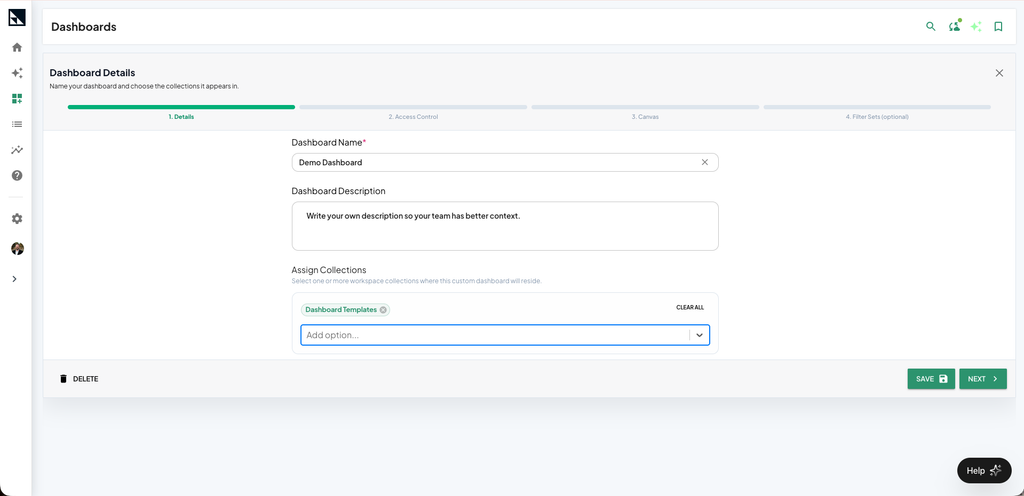
- Streamlined Setup & Organization (Collections & Descriptions):
- What’s new: Start your build from a proven template or a blank slate, assign your dashboard directly to a Collection, and add searchable descriptions during initial setup.
- Why it matters: Keeps your analytics workspace clean and scalable, ensuring B2B marketers and stakeholders can quickly locate the exact attribution or pipeline reports they need without digging through clutter.
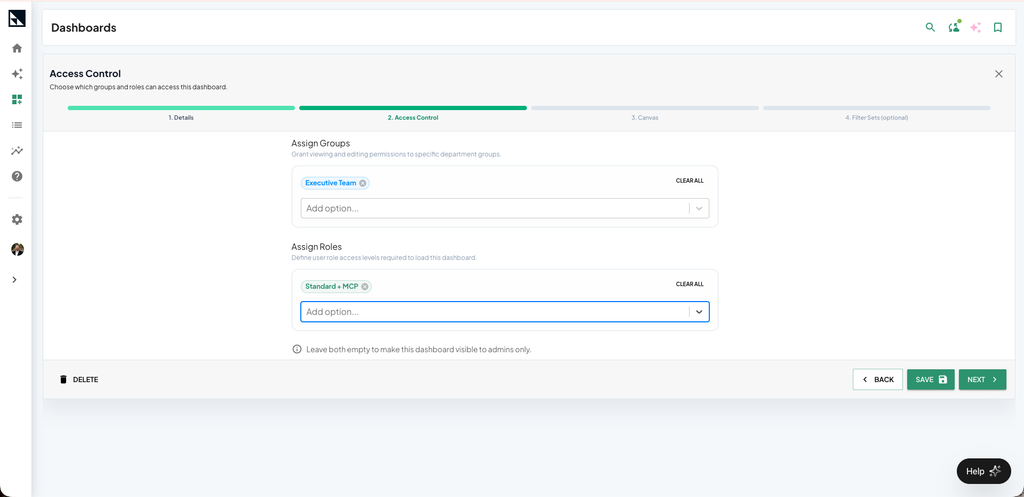
- Granular Access Governance (Roles & Groups):
- What’s new: Define dashboard visibility right inside the creation workflow. While Admins and Analysts retain default access, you can now easily assign permissions by standard Roles, custom roles, or cross-functional Groups.
- Why it matters: Eliminates manual post-build permission management and ensures sensitive revenue data is securely shared with the right regional, departmental, or executive teams.
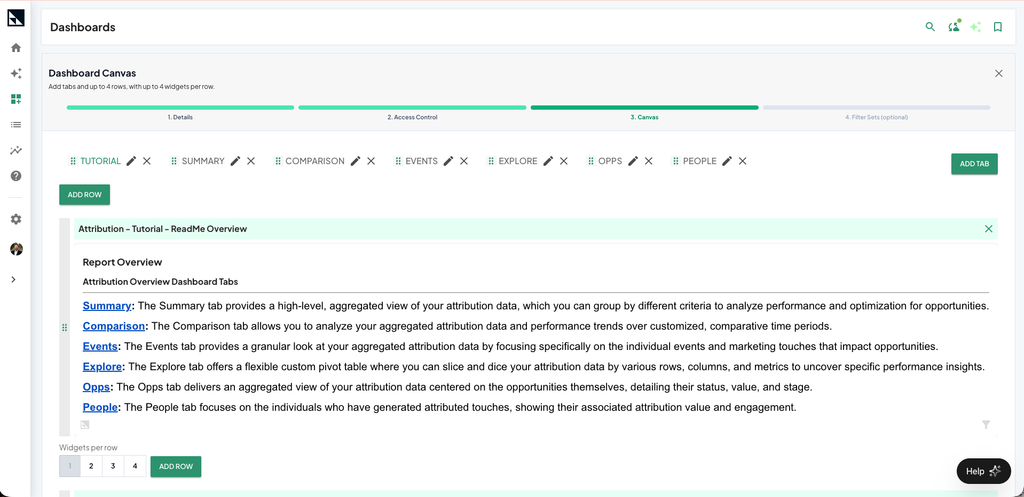
- Flexible Canvas Customization:
- What’s new: A dedicated Canvas step makes it effortless to add or remove tabs, adjust rows, and swap widgets—drawing from your organization’s custom Dashboard Library or CaliberMind’s 175+ out-of-the-box Template Library widgets.
- Why it matters: Reduces time-to-insight for data analysts while giving you full architectural control to surface the KPIs that matter most to your business.
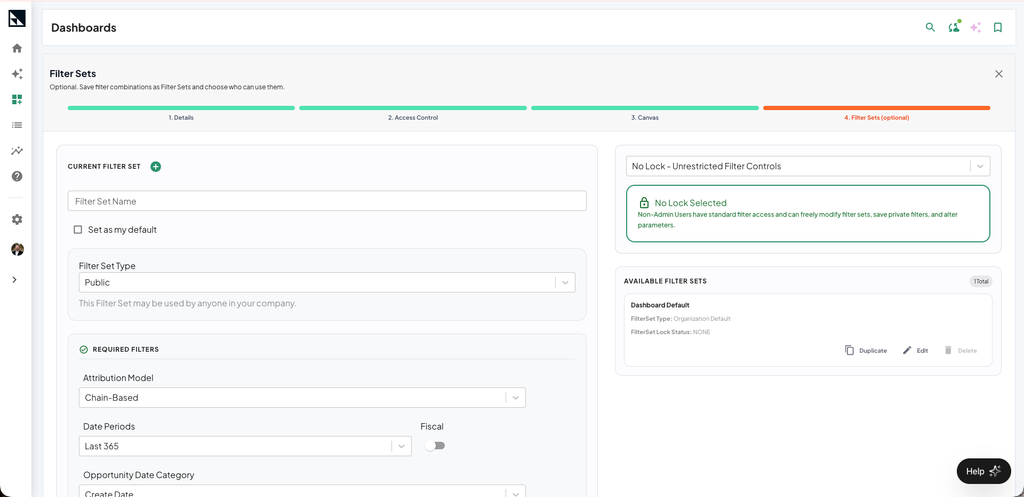
- Integrated Filter Sets & Filter Lock:
- What’s new: Build organization-wide Filter Sets directly within the dashboard creation flow, and apply Filter Lock to control whether non-admin viewers can modify those parameters.
- Why it matters: Guarantees data consistency and prevents misinterpretation by letting BI teams curate locked, foolproof views for GTM stakeholders—while still preserving flexibility where self-serve exploration is needed.
Get Started Today
Ready to build your next dashboard? Navigate to Dashboards > Create New Dashboard in your CaliberMind workspace to experience the guided creation workflow firsthand. For step-by-step best practices on configuring Filter Sets, Collections, and custom layouts, visit the CaliberMind Knowledge Base or reach out to your Customer Success Manager.